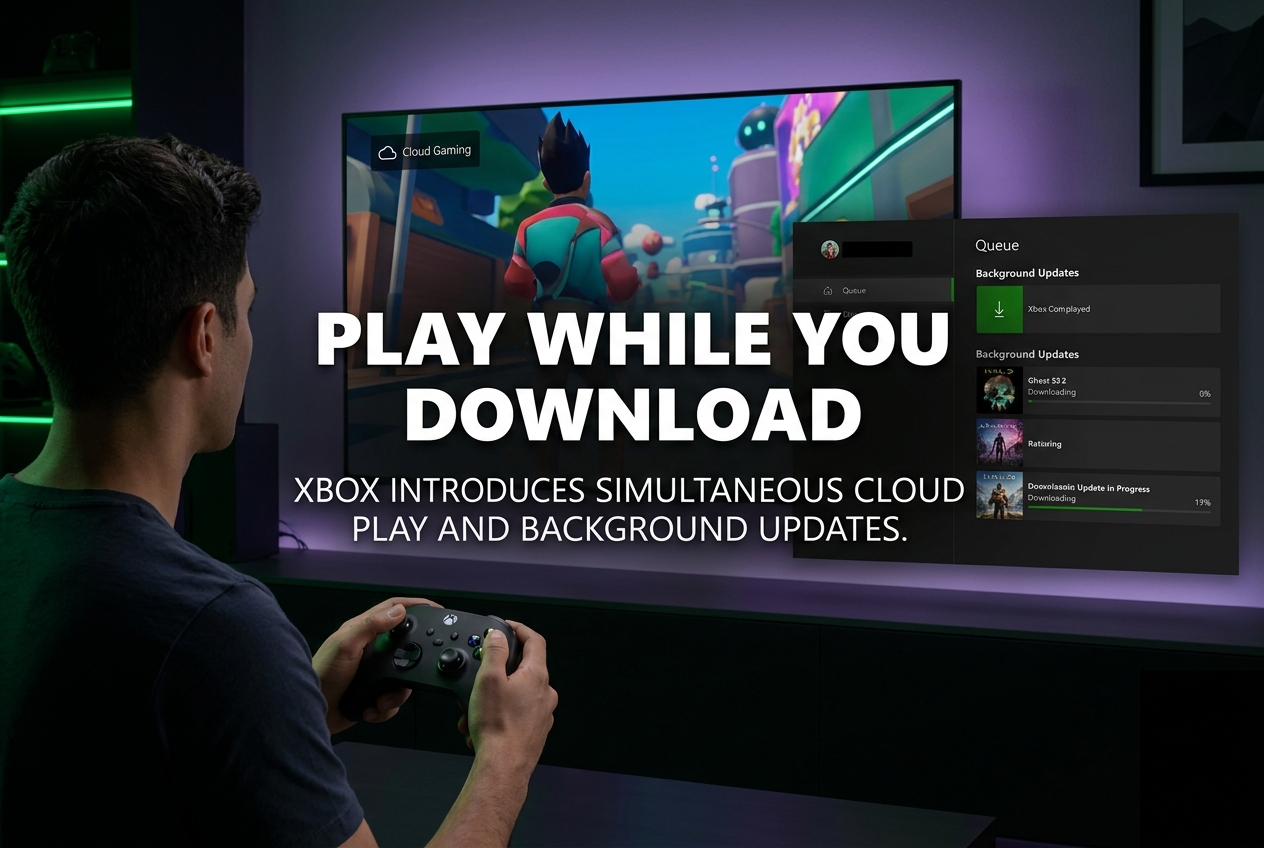
Microsoft is testing a new Xbox feature that lets Game Pass subscribers play games via cloud streaming while updates or installations run in the background.
Microsoft announced on June 24, 2026 that Xbox Insiders in the Alpha Skip-Ahead ring can now play games through Xbox Cloud Gaming while those same games are updating or installing on their consoles. The feature eliminates the long wait times caused by increasingly large game updates, which regularly exceed tens of gigabytes for modern titles.
How the Feature Works
When a game requires an update and that game is available to stream through a Game Pass membership, players can immediately launch it via cloud gaming instead of waiting for the download to finish. The option to “launch with cloud gaming” appears directly on the game card during an installation or update. Meanwhile, the update continues downloading in the background, ready for local play once complete.
According to Xbox Wire, “If a game requires an update and is available to stream through your Game Pass membership, you can start playing immediately with cloud gaming while the update downloads in the background.” Previously, it was not possible to stream a game via Xbox Cloud Gaming while simultaneously downloading a game or update on the same console, making this a significant change in how the system handles concurrent operations.
Why This Matters for Modern Gaming
Game install sizes have been increasing steadily, with modern releases routinely surpassing 100 GB. Live service games compound the issue with seasonal updates that add maps, cosmetics, and new content without removing older assets. A single update for a major title can easily require 30 to 60 GB of downloading, leaving players staring at a progress bar for an hour or more.
Console makers have attempted various workarounds over the years. Automatic overnight updates during rest mode, the ability to start playing before a full install completes, and background downloads have all helped. But as Kotaku noted, “none of these features has made as big a dent in the hassles of modern gaming as many hoped.” The cloud gaming approach takes a fundamentally different path: instead of trying to speed up the download, it bypasses it entirely by streaming the game from remote servers.
What You Need to Use It
Two conditions must be met for this feature to work:
- Active Game Pass subscription: Xbox Cloud Gaming is included with Game Pass Essential, Premium, and Ultimate plans. Any of these will qualify.
- Cloud-supported title: The game being updated must be available in the Xbox Cloud Gaming library. Games purchased separately that are not in the Game Pass catalogue do not qualify.
Internet speed is also a practical requirement. Xbox recommends at least 20 Mbps for cloud gaming under normal conditions. When a large update is simultaneously downloading in the background, a significantly faster connection will be needed to maintain a smooth streaming experience. Wired connections or high-speed fibre will deliver the best results. Players on slower or shared connections may find that the streaming quality suffers while both processes compete for bandwidth.
Other Features in the Same Insider Update
The June 24 Insider update includes several additional improvements beyond the cloud play feature:
- 15-character Gamertags: Unique Gamertags can now be up to 15 characters, expanded from the previous 12-character limit. Non-unique tags or those with non-Latin characters remain at 12.
- Xbox 360 Achievements in Game Hubs: Game hubs for Xbox 360 titles now display achievement progress, captures, and detailed popup information, making it easier for players to track legacy achievements.
- Wishlist from Game Cards: Both released and upcoming games can now be added to a wishlist directly from the game card, without navigating to the Store separately.
As Thurrott reported, these updates are part of a concerted push by Xbox under CEO Asha Sharma to improve the console experience at a faster pace than in previous years.
Xbox Cloud Gaming: Current State of the Platform
Xbox Cloud Gaming is currently available in 29 countries worldwide, following the addition of India in late 2025. Supported regions include the United States, United Kingdom, Germany, France, Italy, Spain, Japan, South Korea, Australia, Canada, and most of Western Europe. The service exited beta in late 2025 and is now accessible with Game Pass Essential, Premium, and Ultimate subscriptions.
The platform supports an extensive range of devices: Xbox consoles (Xbox One and newer), Windows PCs, Mac computers, Chromebooks, Android phones and tablets, iPhones, iPads, LG and Samsung smart TVs, Amazon Fire TV, Meta Quest VR headsets, and dedicated gaming handhelds like the ROG Xbox Ally. Support for cars is planned for the near future.
In February 2026, Xbox rolled out up to 1440p streaming with higher bitrate support on Xbox Series X|S, Xbox One X, and Xbox One S consoles. Over 1,000 games now support Xbox Play Anywhere, and Game Pass subscribers can stream more than 1,000 owned games through the “Stream Your Own Game” feature.
When Will It Be Available to Everyone?
The feature is currently limited to Xbox Insiders in the Alpha Skip-Ahead ring. Microsoft’s standard rollout process moves new features through multiple Insider rings (Alpha, Beta, Delta, Omega) before a general release to all Xbox users. No specific public release date has been announced, but Microsoft’s recent track record suggests a rollout within a few months.
Kotaku acknowledged the feature’s potential limitations, noting that streaming quality and resolution could be affected by the simultaneous download running in the background. These are exactly the kinds of issues that the Insider testing phase is designed to identify and resolve before wider availability.
Potential Limitations to Keep in Mind
While the feature addresses a genuine frustration, there are some practical constraints worth noting:
- Game Pass library only: Games purchased outside of Game Pass, or titles that have been removed from the catalogue, will not be eligible for cloud play during updates.
- Region availability: Xbox Cloud Gaming is not available in all countries. Players in unsupported regions will not have access to this feature regardless of their Game Pass tier.
- Bandwidth demands: Running a cloud stream alongside a multi-gigabyte download requires substantial internet bandwidth. Players with slower connections may experience degraded streaming quality.
- Cloud save sync: Games that support cloud saves will sync progress between the streamed session and the local installation. However, not all games may handle this transition identically.
What Players Are Asking About This Feature
Does this work on Xbox One as well?
Xbox Cloud Gaming is supported on Xbox One consoles. However, the testing phase is currently limited to the Alpha Skip-Ahead Insider ring, so broader availability on Xbox One will come later in the rollout.
Do I need Game Pass Ultimate specifically?
No. Xbox Cloud Gaming is now available with Game Pass Essential, Premium, and Ultimate plans. Any active Game Pass subscription that includes cloud gaming access should support this feature.
Will my save progress carry over when I switch from cloud to local?
For games that support cloud saves, your progress should sync automatically. When the update finishes and you switch to the locally installed version, you can pick up where you left off in the cloud session.
Can I use this feature on PC or mobile?
The announcement specifically targets the Xbox console experience, where the game card shows the cloud play option during updates. On PC and mobile, cloud gaming already works independently of local installations, so the use case is somewhat different.
What happens if my internet is not fast enough?
If your connection cannot handle both the download and the cloud stream simultaneously, you may experience lag, lower resolution, or buffering during the cloud session. Xbox recommends at least 20 Mbps for cloud gaming alone, but you will likely need considerably more when an update is downloading concurrently.