Android 17 introduces a system-level foldable gaming mode that splits the inner display 50/50, placing a fully customizable virtual gamepad on the bottom half. Combined with native controller remapping and performance upgrades, foldable phones are closer than ever to portable consoles.
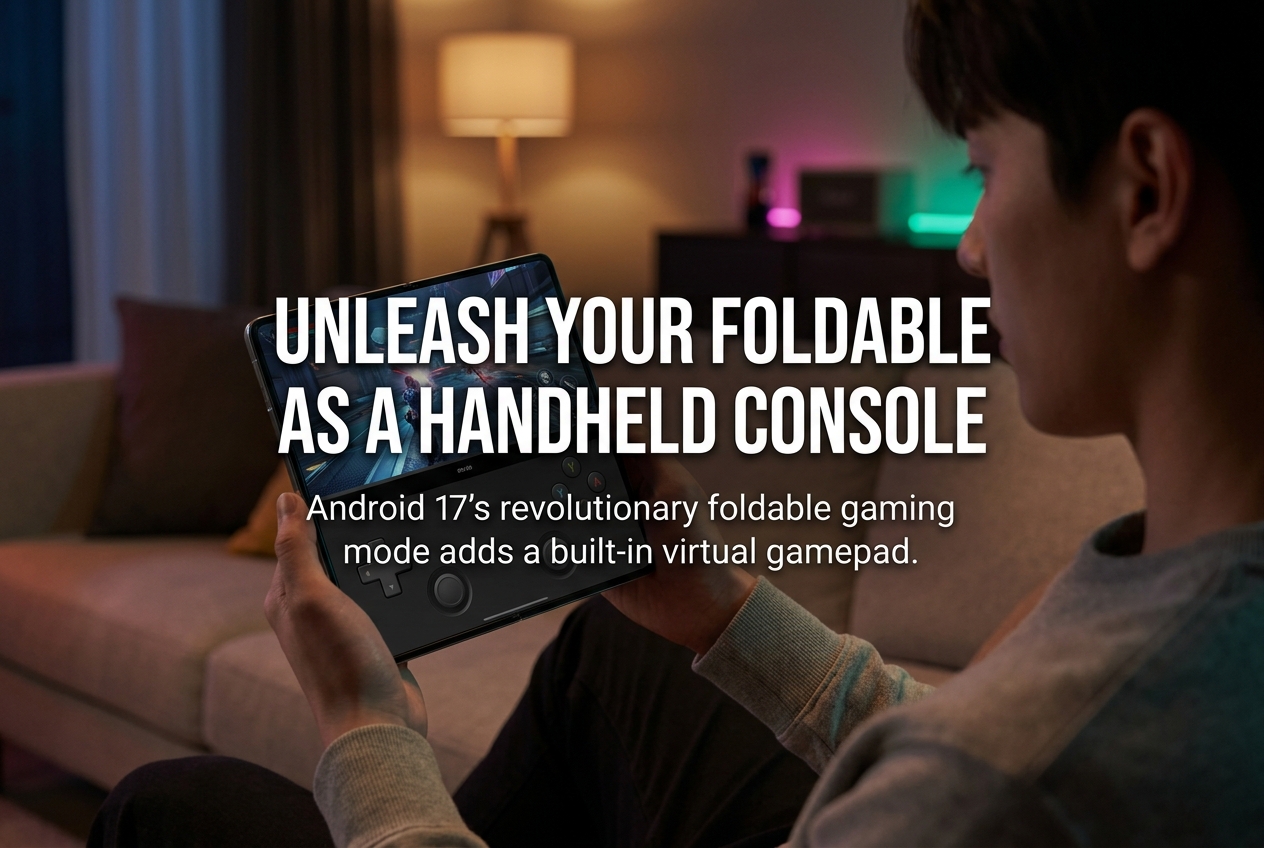
Google’s Android 17, which began its stable rollout on June 16, 2026, introduces a dedicated Foldable Gaming Mode that transforms book-style foldable phones into something resembling a Nintendo DS. The feature splits the inner display into a 50/50 layout: the top half shows the game, and the bottom half becomes a fully customizable virtual gamepad with system-level controller emulation. No Bluetooth gamepad required.
How Foldable Gaming Mode Actually Works
When you unfold a compatible device, either before or after launching a game, Android 17 automatically divides the inner screen along the crease. The top half renders the game at full width, while the bottom half displays a dynamic virtual controller. Unlike typical on-screen touch controls that simply map to screen taps, this virtual gamepad emulates hardware-level button presses at the operating system level.
According to Google’s Mishaal Rahman on Reddit, the virtual controller includes a D-pad, left and right analog sticks, A/B/X/Y face buttons, L1/L2/L3, R1/R2/R3 triggers, and a Start button. Because the system registers these inputs exactly as it would a physical controller, the mode is natively compatible with any Android game that already supports external gamepads. No developer-side updates or patches are needed.
What Can You Customize?
The virtual gamepad is not a one-size-fits-all overlay. Users can configure the analog stick layout to be inline (symmetrical) or staggered (offset, similar to an Xbox controller layout). Button sizes are adjustable across small, medium, and large presets, accommodating different hand sizes and grip styles.
Haptic feedback can be toggled on or off for tactile confirmation when pressing virtual buttons. During moments when you do not need the controls, the gamepad can be hidden with a single tap. If a physical Bluetooth or USB-C controller is connected, the virtual gamepad automatically disables itself, giving the full screen back to the game.
Native Controller Remapping: A Long-Awaited Feature
Alongside the virtual gamepad, Android 17 introduces system-level controller remapping for external gamepads. Previously, remapping buttons required either in-game settings (which most Android games lacked) or third-party apps. Now, users can navigate to Settings > System > Game Controller for wired gamepads or Settings > Connected Devices > Device Details for Bluetooth controllers.
From there, face buttons, triggers, thumbstick clicks, and directional inputs can all be reassigned. Custom mappings save directly to the device and apply universally across all games, eliminating the need to reconfigure controls for each title. Both wired and Bluetooth controllers are supported.
Performance Gains Under the Hood
Android 17 does not stop at input improvements. Google reports that memory cleanup during gameplay has been made more efficient, specifically targeting frame drops and stutters during high-definition gaming. The new DeliQueue system replaces Android’s traditional MessageQueue locking mechanism with a lock-free data structure. In Google’s tests, this reduces missed frames by 4% in apps and 7.7% in the system UI.
On top of that, Android 17 enforces per-app RAM limits. Apps that consume excessive memory are automatically terminated, preventing background processes from degrading game performance or battery life. Google’s ART runtime also receives tuning improvements with more frequent, lighter garbage collection cycles that reduce CPU overhead.
Vulkan 1.4 and ANGLE: The New Graphics Foundation
Devices shipping with new chipsets on Android 17 are required to fully support Vulkan 1.4. Google has positioned Vulkan as Android’s official graphics API, and the ANGLE translation layer now handles OpenGL ES calls by routing them through Vulkan by default on new hardware. While Android 16 used an allowlist approach (only specific apps went through ANGLE), Android 17 shifts to a denylist model, meaning most apps use ANGLE unless explicitly excluded.
For gamers, this means a more standardized and potentially more stable graphics pipeline, especially on foldable devices with high-resolution inner displays that demand consistent rendering performance.
Which Devices Get These Features?
Android 17’s stable build is currently available on all Tensor-powered Pixel devices, from the Pixel 6 series through the Pixel 10 Pro Fold. The foldable gaming mode is specifically designed for book-style foldables like the Pixel Fold, Pixel 9 Pro Fold, and Pixel 10 Pro Fold. Samsung, OnePlus, Motorola, and other manufacturers are expected to roll out Android 17 updates in the second half of 2026.
Because the feature is integrated into AOSP (Android Open Source Project), any manufacturer building a foldable device can adapt it for their hardware dimensions. Popular foldables like the Samsung Galaxy Z Fold 7 should receive the mode once their Android 17 updates land. The feature is not region-locked: once available, it will work globally across Europe, Asia, and other markets.
When Is Foldable Gaming Mode Actually Available?
There is an important catch. While Android 17 stable launched on June 16, 2026, Google has confirmed that Foldable Gaming Mode “will be available in the coming months.” It is not present in the initial stable release. The native controller remapping feature, however, has been available since Beta 2 and is accessible in the current build.
This staggered rollout means Pixel foldable owners will likely be first to receive the gamepad UI through a subsequent system update, with broader availability following as other manufacturers ship their Android 17 builds.
What This Means for Mobile Gamers
Foldable phones have always offered more screen space, but gaming on them often felt awkward. On-screen touch controls covered the action, and holding a wide, unfolded device made reaching buttons uncomfortable. Android 17’s approach solves this at the OS level rather than leaving it to individual game developers.
Any game that supports a physical controller, which includes major titles across action, racing, and RPG genres, will work with the virtual gamepad without any additional setup. For emulator users already familiar with on-screen controls on foldables, this extends the same experience to the entire Play Store library of controller-compatible games.
The combination of the split-screen gamepad, native remapping, reduced frame drops, and Vulkan 1.4 standardization makes Android 17 the most gaming-focused Android update in years. If you are in the market for a foldable or already own one, these changes are worth watching closely as they roll out through late 2026.
Common Questions Gamers Are Asking
Does the virtual gamepad work with every game?
It works with any game that supports physical controller input. The system emulates a real gamepad at the hardware level, so the game does not need to be updated or patched. However, games that only support touch input and do not recognize controller signals will not be compatible.
Does splitting the screen make the game view too small?
Foldable inner displays are typically 7.6 inches or larger. Even at a 50/50 split, the top half provides a game view comparable in size to many standard smartphone screens. The trade-off is a clearer separation between visuals and controls, which most players find more comfortable than overlapping touch buttons on the game itself.
What happens when I plug in a physical controller?
The virtual gamepad disables automatically when a Bluetooth or USB-C controller is connected. The full screen returns to the game, and there is no conflict between input methods. When you disconnect the physical controller, the virtual gamepad can be brought back.
Is this limited to Pixel phones?
Pixel foldables will be first, but because the feature is part of AOSP, Samsung, Xiaomi, OnePlus, and other manufacturers can include it in their Android 17 builds. Availability depends on each manufacturer’s update timeline, which typically stretches from late summer through early 2027 for non-Pixel devices.