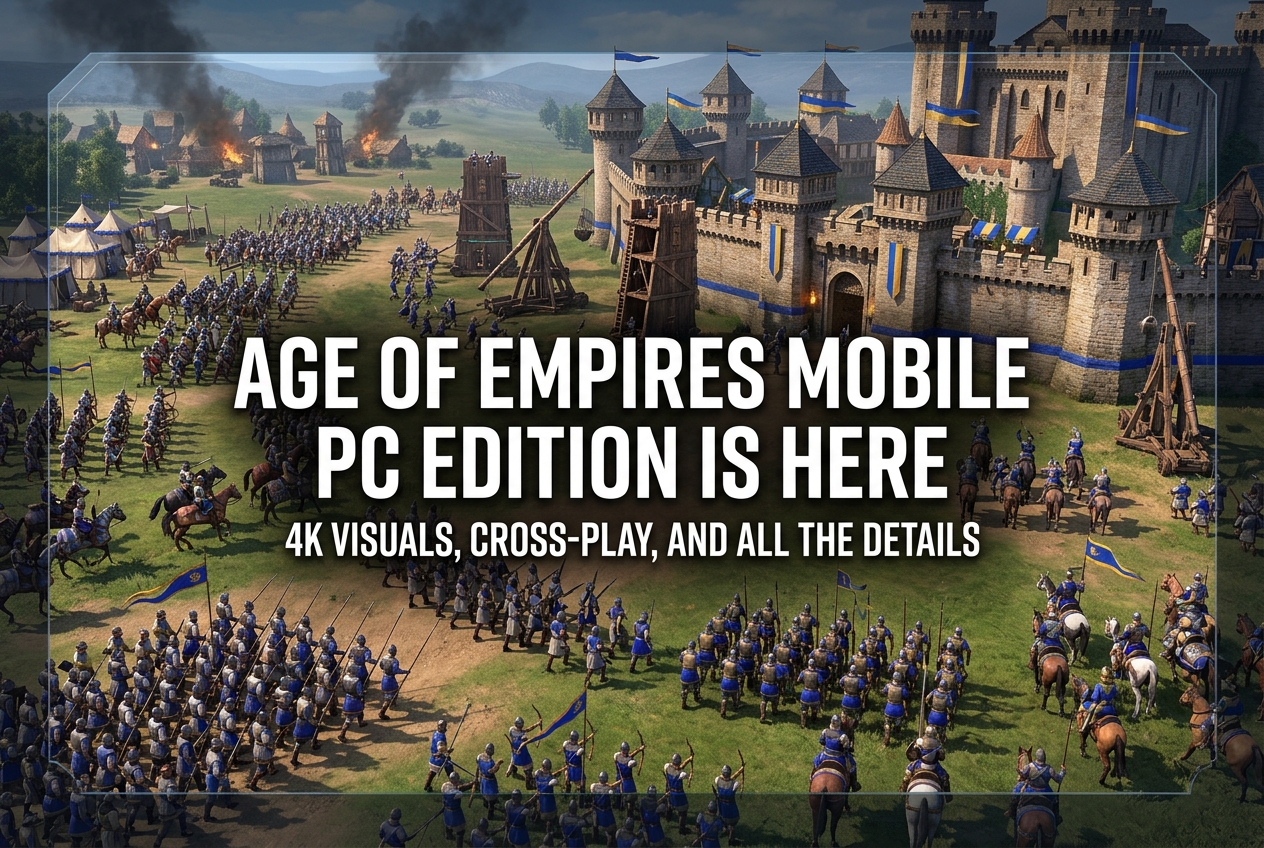
Age of Empires Mobile: PC Edition officially launched on June 23, 2026, as a free-to-play title on Steam, the Microsoft Store, and PC Game Pass. With 4K visuals, mouse-and-keyboard controls, full cross-progression, and 9 civilizations, here’s everything PC players need to know.
Age of Empires Mobile: PC Edition launched on June 23, 2026, as a free-to-play strategy game on Steam, the Microsoft Store, and PC Game Pass. Developed by TiMi Studio Group and published by Xbox Game Studios, this PC-optimized version brings the mobile title that has attracted millions of players since October 2024 to the big screen with 4K visuals, mouse-and-keyboard controls, and full cross-play across all platforms. The game features 9 civilizations, over 70 legendary heroes, and massive real-time alliance warfare.
What’s New in the PC Edition?
Age of Empires Mobile: PC Edition is not a simple port. It has been rebuilt with PC-specific optimizations that go well beyond screen scaling. According to the official Steam listing and the Age of Empires website, the key PC features include:
- Mouse and keyboard controls: Full keyboard navigation, command shortcuts, and a refined UI designed for the precision and rhythm of PC strategy play.
- Enhanced 4K visuals: Richly detailed medieval environments, authentic civilization architecture, and lifelike unit animations optimized for large displays.
- Dynamic weather and terrain: Real-time weather effects like rain, fog, and seasonal shifts directly influence battlefield strategy. Terrain destruction reshapes every siege.
- Steam and Xbox Live integration: 62 Steam achievements, social connections, dedicated ranked ladders, and alliance features.
The game uses Unity Engine with Anti-Cheat Expert (ACE) protection and supports 15 interface languages, including English, French, German, Italian, and Spanish.
Cross-Play and Cross-Progression Explained
One of the biggest draws of the PC Edition is seamless cross-play and cross-progression. Players who have been building their empires on iOS or Android can continue on PC with the exact same account. Alliances, chat, events, and progress stay fully synchronized across mobile and desktop. Shared global servers mean PC and mobile players battle side by side in the same world.
However, there is a critical step that existing mobile players must not skip. Before launching the PC version for the first time, you need to link your mobile progress to a third-party account. If you skip this and create a new Steam account directly, your mobile progress may be permanently lost.
How to Link Your Mobile Account to PC
The official account linking process requires two steps:
- On your mobile device: Open Age of Empires Mobile. Go to Settings (gear icon) > Account. Select “Bind Account” and choose a sign-in option such as Google, Facebook, or Level Infinite Pass.
- On PC (Steam): When you launch the game for the first time on Steam, do not sign in with Steam directly. Instead, choose the same third-party account you linked on mobile (Level Infinite Pass, Google, etc.) to carry over your progress.
Failing to complete this process before your first PC login can result in a fresh account being created on Steam, with no technical way to merge your mobile empire afterward. The official Age of Empires website strongly emphasizes this step.
Xbox Game Pass Bonus Rewards
Players with an active PC Game Pass or Xbox Game Pass subscription receive a bonus reward pack when they play Age of Empires Mobile: PC Edition. According to the official announcement, the reward bundle includes:
- 1 Monthly Pass Token
- 1 Custom Resource Chest
- 10 Universal 60-Minute Speed-Ups
- 1,000 Empire Coins
- Exclusive Player Portrait Frame
These rewards are delivered via in-game mail after signing in with an Xbox account. The game itself remains free to play regardless of subscription status.
9 Civilizations and Over 70 Heroes
As of 2026, Age of Empires Mobile offers nine playable civilizations: Chinese, Romans, Byzantines, French, Egyptians, Japanese, Koreans, British, and Arabs (the ninth civilization added in October 2025 for the first anniversary). Each civilization features unique architecture, a signature military unit, and distinct economic or combat bonuses that shape early-game strategy.
The hero roster exceeds 70 historical and legendary figures. Players can recruit characters like Hua Mulan, King Arthur, Leonidas, Miyamoto Musashi, Attila the Hun, Sun Tzu, Hannibal, Cleopatra, and Frederick Barbarossa. Each hero has cinematic intros, unique skill trees, and synergy potential. You can assign three heroes per march, combining warrior, tactician, and marshal classes for deep strategic combinations.
PC System Requirements
Thanks to its mobile origins, Age of Empires Mobile: PC Edition runs on modest hardware. Here are the official specs from the Steam page:
| Spec | Minimum | Recommended |
|---|---|---|
| OS | Windows 10/11 64-bit | Windows 10/11 64-bit |
| Processor | Intel Core i5-6300U or AMD Ryzen 5 2400G | 3.6 GHz 6-core (Intel i5) or AMD Ryzen 5 1600 |
| Memory | 8 GB RAM | 16 GB RAM |
| Graphics | Intel HD 520 or AMD Radeon RX Vega 11 | Nvidia GeForce 970 or AMD RX 570 (4 GB VRAM) |
| DirectX | Version 11 | Version 11 |
| Storage | 20 GB | 20 GB |
A CPU with AVX support is mandatory. Older processors that lack AVX instructions will not be able to run the game, so it is worth verifying your hardware before downloading.
How Are Early Steam Reviews?
Within two days of launch, Age of Empires Mobile: PC Edition has received 81 user reviews on Steam, with only 34% positive, placing it in the “Mostly Negative” category. The primary complaints center on aggressive monetization and pay-to-win mechanics, especially in competitive modes. Players who spend money gain significant advantages in PvP, which frustrates free-to-play participants.
On mobile platforms, the game holds a 4.2 out of 5 rating across 442,000 reviews. Fans of the franchise appreciate the nostalgic gameplay mechanics and visual quality, but the monetization model remains divisive. One independent reviewer gave the mobile version a 7 out of 10, praising the visuals and brand faithfulness while noting that competitive pay-to-win elements hold the experience back.
Free to Play, But In-App Purchases Exist
Age of Empires Mobile: PC Edition costs nothing to download and play. However, the game features in-app purchases, including random-item elements. Empire Coins and Apex Coins serve as the primary premium currencies, used for speeding up construction, unlocking heroes, and purchasing cosmetic items. A persistent internet connection and Microsoft Services account registration are required to play.
Where Can You Play?
Age of Empires Mobile is now available across five platforms, all connected through shared global servers:
- Steam (PC, free)
- Microsoft Store (PC, free)
- PC Game Pass (free with bonus rewards)
- Google Play (Android, free)
- App Store (iOS, free)
Full cross-play and cross-progression work across all of these platforms. One account covers every device.
What Players Usually Ask
Is Age of Empires Mobile: PC Edition really free?
Yes, the game is completely free to download and play on Steam, the Microsoft Store, and through PC Game Pass. Optional in-app purchases exist for premium currency and cosmetic items.
Can I transfer my mobile progress to PC?
Yes, but you must link your mobile account to a third-party service (Google, Facebook, or Level Infinite Pass) before launching the PC version for the first time. Skipping this step may result in permanent loss of your mobile progress.
Do PC and mobile players share the same servers?
Yes, full cross-play is supported. PC and mobile players exist on the same global servers, participate in the same alliances, and compete in the same events.
Can I play offline?
No. Age of Empires Mobile requires a persistent internet connection on all platforms. There is no offline mode.
How many civilizations are available?
Nine civilizations are playable as of 2026: Chinese, Romans, Byzantines, French, Egyptians, Japanese, Koreans, British, and Arabs.
What is the ESRB rating?
The game is rated E10+ (Everyone 10 and older) by the ESRB, with content descriptors for Mild Violence, Users Interact, and In-Game Purchases (Includes Random Items).
Do I need Xbox Game Pass to play?
No. The game is free for everyone. However, Game Pass subscribers receive an exclusive bonus reward pack containing Empire Coins, speed-ups, and a unique portrait frame.