

Listings & Marketplace
 LoL Accounts for Sale
  Valorant Accounts for Sale
  TFT Accounts for Sale
  CS2 Items and Skins for Sale
  Clash Royale Accounts for Sale
  Clash of Clans Accounts for Sale
  Steam Accounts for Sale
  Brawl Stars Accounts for Sale
  PUBG Mobile Accounts for Sale
 All Categories
Click to load categories
Game Credits & Codes
 Valorant Points (VP) - TR
  LoL Riot Points (RP) - TR
  Mobile Legends Diamonds TR ID Top-Up
  Guns of Glory Lost Island Diamonds
  Steam Wallet Code USD
  Point Blank TG
  Zepeto Zems
  Legend Online Diamonds - Oasis
  Metin2 Dragon Coin
  Valorant Points (VP) - NA
 All Categories
Click to load categories
We use browser cookies for a better experience.
We use cookies to ensure our site functions properly, analyze our site traffic, personalize content and advertisements, and provide social media features. We may also share information about your use of the site with our social media, advertising and analytics partners. Details: Privacy Policy, GDPR Clarification TextValorant, LoL, Steam, PUBG Mobile, CS2 and other game accounts featured by sellers on the GamerMarkt homepage, on one page. Filter by game and compare prices.
 Unranked
269Skins21Agents500+Level
Premium Reserve
92%
€580,75
Showcase
Unranked
290Skins22Agents480Level
Premium Reserve
92%
€350,75
Showcase
Unranked
211Skins24Agents397Level
BlackMint
98%
€330,05
Showcase
Unranked
209Skins22Agents318Level
EliteHub
92%
€345,00
Showcase
Unranked
269Skins22Agents500+Level
BlackSignal
93%
€350,75
Showcase
Unranked
198Skins24Agents272Level
Vanguard Market
93%
€299,00
Showcase
Unranked
372Skins20Agents350Level
BlackSignal
93%
€440,10
Showcase
Unranked
332Skins20Agents426Level
EliteHub
92%
€529,00
Unranked
269Skins21Agents500+Level
Premium Reserve
92%
€580,75
Showcase
Unranked
290Skins22Agents480Level
Premium Reserve
92%
€350,75
Showcase
Unranked
211Skins24Agents397Level
BlackMint
98%
€330,05
Showcase
Unranked
209Skins22Agents318Level
EliteHub
92%
€345,00
Showcase
Unranked
269Skins22Agents500+Level
BlackSignal
93%
€350,75
Showcase
Unranked
198Skins24Agents272Level
Vanguard Market
93%
€299,00
Showcase
Unranked
372Skins20Agents350Level
BlackSignal
93%
€440,10
Showcase
Unranked
332Skins20Agents426Level
EliteHub
92%
€529,00
 Showcase
 Steam Accounts for Sale
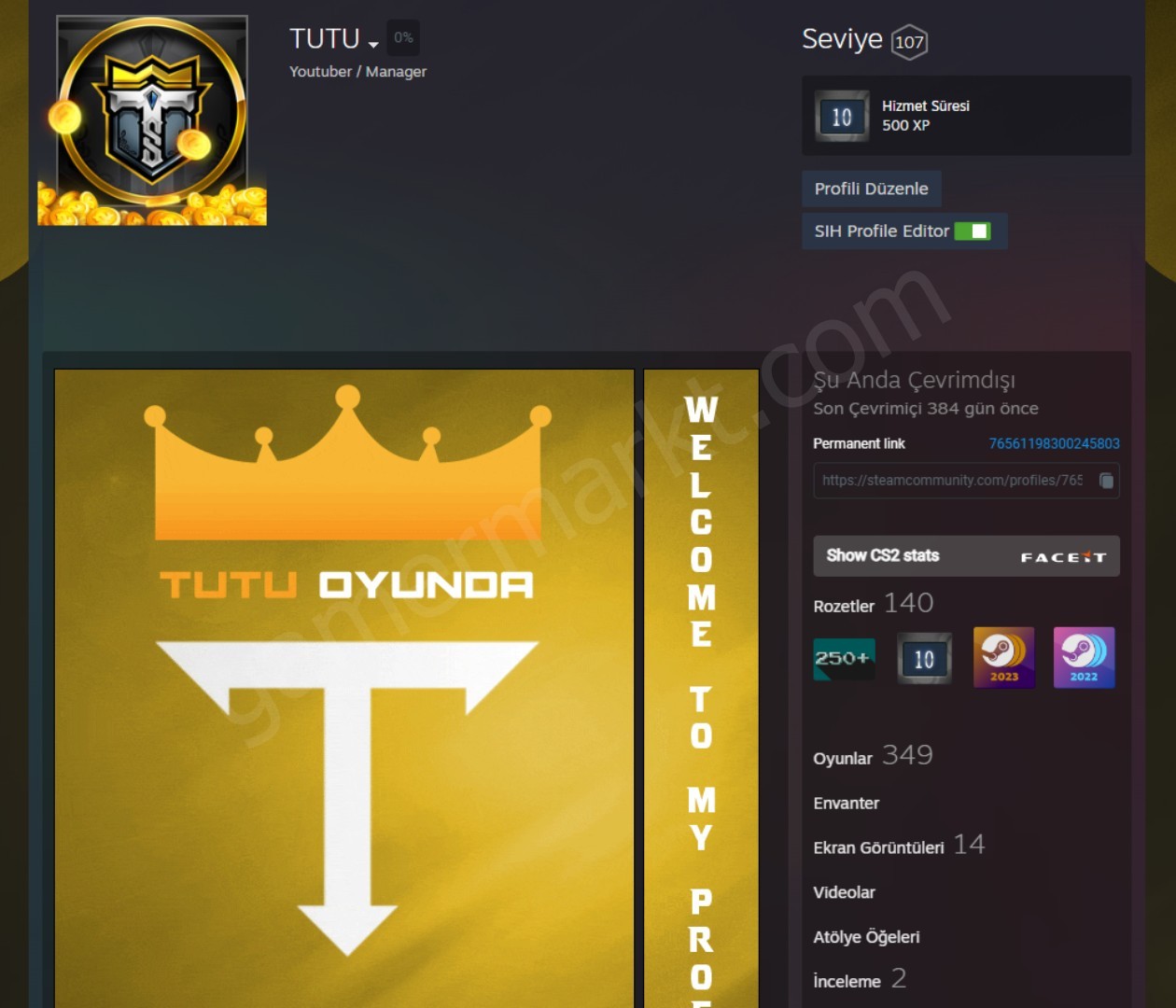
🔥 Dolu YAYINCI Steam Hesabı | Uygun Fiyat 107 LVL 2600 YORUM
300-499Number of Games50-99Number of DLCs100-199Level
Tuncay G.
80%
€635,36
Showcase
Unranked
351Skins24Agents427Level
Vanguard Market
93%
€747,50
Showcase
Steam Accounts for Sale
🔥 Dolu YAYINCI Steam Hesabı | Uygun Fiyat 107 LVL 2600 YORUM
300-499Number of Games50-99Number of DLCs100-199Level
Tuncay G.
80%
€635,36
Showcase
Unranked
351Skins24Agents427Level
Vanguard Market
93%
€747,50
Showcase
 Unranked
246Champions887Skins500+Level
BlackMint
98%
€265,65
Your listing here
Get featured on the homepage and reach more buyers.
Get Featured
Unranked
246Champions887Skins500+Level
BlackMint
98%
€265,65
Your listing here
Get featured on the homepage and reach more buyers.
Get Featured
Showcase listings are the listings sellers put in the showcase on the GamerMarkt homepage. Every visitor of the homepage sees them at first glance, whatever game they are looking for. This page lists every showcase listing together, so you can filter them by game and compare prices and account contents side by side.
The showcase is not limited to one game: listings of almost every category on the site can be featured. Besides Valorant accounts, League of Legends accounts, TFT, Clash of Clans, Clash Royale, Brawl Stars and Genshin Impact accounts, listings in categories such as Steam, PUBG Mobile, CS2, Epic Games, eFootball and Mobile Legends can be featured too. You can reach every category from the listings page.
The showcase is not a fixed list, it keeps rotating:
Showcase listings follow the same publishing rules as every other listing and are bought through the same checkout. The showcase does not change the price or the reliability of a listing; it only puts it in front of more buyers.
If you are a seller, pick one of the Homepage Showcase packages on the Doping page and choose your listing. Buying again before the period ends extends it. While you are in the showcase, you can follow how many times your listing was viewed and clicked on the My Listings page. If you are not a seller yet, sign up to GamerMarkt and add your first listing right away.
When there are more listings than the 8 places on the homepage, they take turns. Every listing is shown equally often for as long as it stays in the showcase, and the order of the cards changes on every visit. Use this page to see all showcase listings at once.
The showcase only makes a listing more visible. Showcase listings follow the same publishing rules as other listings and are bought through the same checkout. We recommend checking the listing details and the seller rating before you buy.
On the Doping page, pick one of the Homepage Showcase packages and your listing, then buy it. The showcase has no quota, and buying again before the period ends extends it.
Access your game credits, codes, and top-ups instantly! Enjoy uninterrupted and secure shopping with our 24/7 active system.
Complete your purchases with peace of mind! We provide advanced technology to ensure your safety.
Enjoy the best gaming experience without breaking the bank. Don't miss out on discounts!
We're with you every step of the way! Our support team provides customer-focused service before and after your purchase.