














Minecraft CD Key and Game Editions
6 Products · € 23,45 – € 39,10
Products
6 Products
Standard Edition
Triple Bundle
Java & Bedrock Edition Ultimate Collection
Deluxe Collection 2
Ultimate Collection
Java & Bedrock Edition Deluxe Collection 2 Top Seller
Activation Guide
- Go to redeem.microsoft.com and sign in with the Microsoft account you use on Xbox.
- Enter your 25-character code and confirm.
- The game is added to your account. Install it from your library on your console or PC.
This product is an activation code, not an account. The game is added to the library of the Xbox account you enter the code in.
- In Stock
- Secure Payment
- Multiple Payment Methods


- 24/7 Customer Support

About This Game
 1 / 6
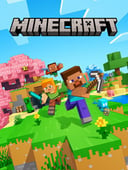
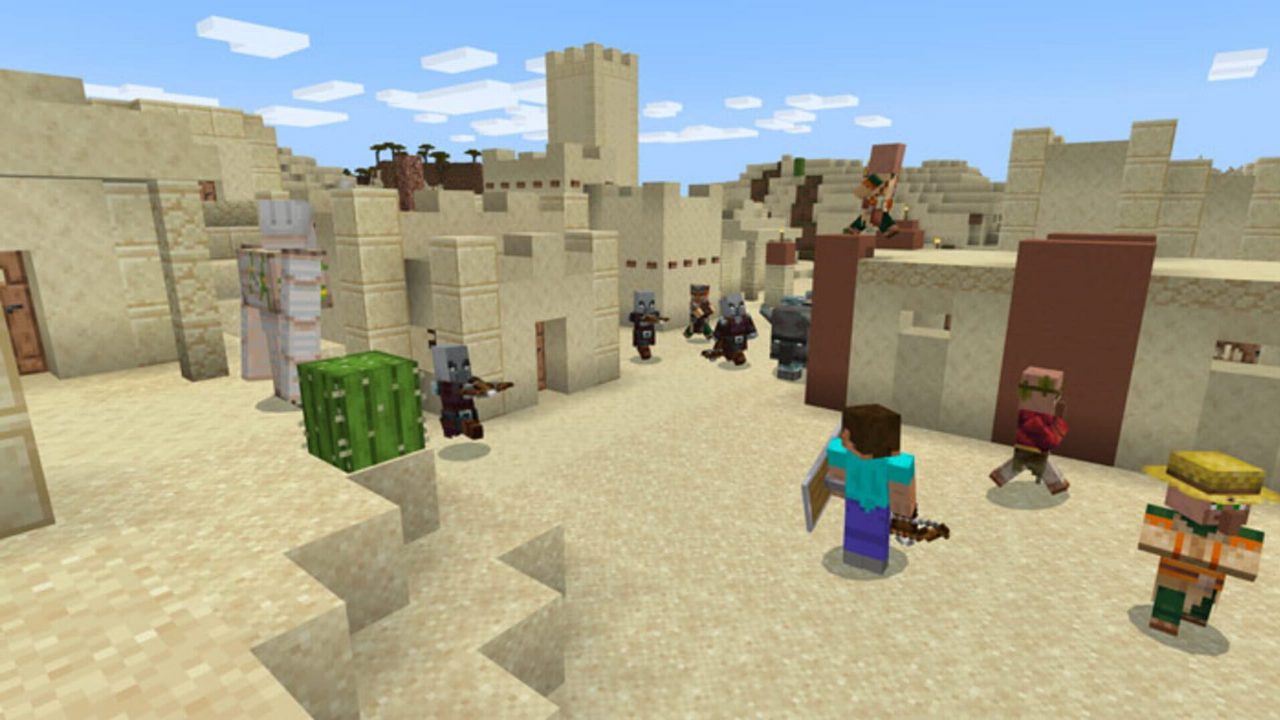
Minecraft focuses on allowing the player to explore, interact with, and modify a dynamically-generated map made of one-cubic-meter-sized blocks. In addition to blocks, the environment features plants, mobs, and items. Some activities in the game include mining for ore, fighting hostile mobs, and crafting new blocks and tools by gathering various resources found in the game. The game's open-ended model allows players to create structures, creations, and artwork on various multiplayer servers or their single-player maps. Other features include redstone circuits for logic computations and remote actions, minecarts and tracks, and a mysterious underworld called the Nether. A designated but completely optional goal of the game is to travel to a dimension called the End, and defeat the ender dragon.
Frequently Asked Questions
As of 25.11.2026, the 6 products cost between € 23,45 and € 43,80.
- Minecraft Deluxe Collection 2 (Xbox · Worldwide): € 23,45
- Minecraft Standard Edition (Xbox · Worldwide): € 24,65
- Minecraft Ultimate Collection (Xbox · Worldwide): € 31,30
- Minecraft Java & Bedrock Edition Deluxe Collection 2 (Xbox · Worldwide): € 31,30
- Minecraft Java & Bedrock Edition Ultimate Collection (Xbox · Worldwide): € 39,10
- Minecraft Triple Bundle (Xbox · Worldwide): € 43,80
For a product that is out of stock, use “Notify Me When in Stock” to get a notification when it is back in stock.
Use the Activation Guide under your key in Order Details to find the redemption steps for its platform. For Xbox or Microsoft PC keys, redeem online with the Microsoft account you’ll use to play that edition.
- On the Xbox code redemption page (xbox.com/en-GB/redeem) (opens in a new tab), select SIGN IN TO REDEEM and choose the account you use on your console or in the Minecraft Launcher.
- Enter the 25-character code for that edition and select Next. Check the full Minecraft package name shown before you confirm.
- Install the Xbox edition from your console library. For a PC collection, open the Minecraft Launcher with the same account to install Java or Bedrock on a supported device.
The same Xbox page gives the console steps for an Xbox edition on Xbox One or Series X|S.
The 1,020 Minecoins in the Xbox Triple Bundle can buy creator-made content in Minecraft: Bedrock Edition and Minecraft Legends. In Bedrock, open Minecraft Marketplace to look for worlds and skins you can get with the coins.
A Minecraft CD key unlocks the edition named on your order. Redeeming it adds the game to your account on the platform the key is for. Your key appears under its edition in the order once delivered. The Platform bar shows the platforms with keys listed on this page.
Minecraft Editions by Device
For an Xbox key, redeem through Microsoft. The full edition name tells you which device you can play it on. When you choose an edition, look at the words before Ultimate Collection or Deluxe Collection 2. For these collections, Java & Bedrock Edition in the full name identifies the PC package.
| Device | Edition or Bundle | What You Get |
|---|---|---|
| Xbox One or Series X|S | Standard Edition | Minecraft on console, with local split-screen play. |
| Xbox One or Series X|S | Triple Bundle | Minecraft, Minecraft Dungeons and Minecraft Legends, plus 1,020 Minecoins. |
| Xbox One or Series X|S | Ultimate Collection | Minecraft with 1,000 Minecoins, Bedrock add-ons and Character Creator items. |
| Windows 10/11 (both editions), macOS or Linux (Java) | Java & Bedrock Edition Ultimate Collection | Java Edition, Bedrock Edition and the Minecraft Launcher. Included add-ons such as Rescue Dogs are for Bedrock. |
The PC Deluxe bundle is called Java & Bedrock Edition Deluxe Collection 2. The Xbox Triple Bundle (opens in a new tab) brings together the building game, the dungeon crawler and the strategy game. For other titles on the same console, choose a Country on the Xbox game keys list. Each game card’s badge tells you whether the key shown works in the country you picked.
Java Servers and Bedrock Cross-Play
If your friends play on a Java server, launch Java Edition on Windows, macOS or Linux. If they play Bedrock on Xbox or mobile, launch Bedrock Edition on Windows to join them. Joining a Bedrock world online from an Xbox console requires an eligible Xbox Game Pass subscription.
After you claim a PC edition, choose your operating system on the Minecraft Launcher download page (opens in a new tab). Sign in with the account you redeemed the code on. On Windows, the launcher gives you access to Java and Bedrock. On macOS and Linux, choose Java Edition.
Minecraft for PlayStation, Switch and Mobile
PlayStation Store has Bedrock Edition for PS4 and PS5. Nintendo eShop has versions for Nintendo Switch and Switch 2. The Xbox Store editions cover Xbox One and Xbox Series X|S. The edition for your own console is the one you’ll need when joining friends in Bedrock.
On a phone or tablet, the game many players know as Pocket Edition is part of Bedrock. Android and compatible Chromebooks use Google Play. iPhone and iPad use the App Store, and compatible Amazon Fire devices use Amazon Appstore. The Minecraft platform guide (opens in a new tab) explains how to get the game for each device.
Earlier releases include Minecraft editions for Xbox 360, PS3, PS Vita, Wii U, New Nintendo 3DS and New Nintendo 2DS XL. Windows Mobile, Apple TV and Raspberry Pi also had releases, and earlier versions supported Fire TV, Gear VR, Oculus Rift, Windows Mixed Reality and PlayStation VR. For older hardware, look for the edition made for that model.
Country Availability and Your Minecraft Order
When all keys for a platform activate worldwide, a single notice below the bar reads “This key has no region restriction and can be activated in any country.” For keys with country restrictions, the Country field lets you choose where you’ll activate the code. The note right above the editions shows which countries the key of the edition you pick works in. A Global option with exclusions also shows how many countries are excluded. Show Countries opens longer lists. The site remembers your country choice on both the game page and the CD key list.
All editions for the selected platform stay on display with their prices. If an edition has no key for your selected country, its card shows Out of Stock and is locked, and the “Not on sale in this country yet” warning next to the Country field names it. If the edition for your country has sold out, the card shows Out of Stock and you can use Notify Me When in Stock. If no country is known yet, the Country field reads Select Your Country, and the editions can be bought once you pick one.
In My Orders, See Codes opens your delivered purchase. Each code appears in Order Details beneath its own edition name. If the order includes a PC Ultimate Collection and an Xbox Ultimate Collection, choose Copy beside the edition you want to activate. While delivery is in progress, Track Delivery opens the order.
If a code is shown as already used, look for that edition in the library of the account you used to redeem it. If the edition is missing or the code is rejected, use Create Support Request in the order and include the platform’s error message. The digital products section of the Sales Agreement covers the refund terms once a code has been delivered and the order confirmed.