






















Xbox Game Keys for Sale
17 Games
Frequently Asked Questions
- Go to redeem.microsoft.com and sign in with the Microsoft account you use on Xbox.
- Enter your 25-character code and confirm.
- The game is added to your account. Install it from your library on your console or PC.
You can install the game on a PC if the digital edition you buy includes Windows support. To use the same edition on console and PC, look for the Xbox Play Anywhere (opens in a new tab) badge on that edition’s Xbox Store page.
- Use the same Microsoft account for the code and for both installations.
- Open the library in the Xbox app on Windows 10 or 11 to install the game. With Play Anywhere, you can pick up the save you started on Xbox.
You can check an Xbox key for Ireland while browsing from the UK by changing the country in the Xbox list.
- Choose Ireland in the list’s Country field and select Search to update the card badges.
- Open the game’s Xbox view. If the Country field appears below the platform bar, check that it’s set to Ireland.
- The note right above the editions shows which countries the key of the edition you pick works in. Use Show Countries if it appears. If an edition has no key for Ireland, its card shows Out of Stock and the warning next to the Country field names it under “Not on sale in this country yet”. Worldwide activation is confirmed on the game page when it applies.
Xbox game keys add the digital edition you buy to your Xbox library. Once a key is delivered, you’ll find it beside the game in your order. You use it with the Microsoft account you play on, in a country covered by the Xbox option you chose.
From the Game Card to the Edition You Want
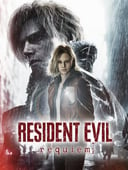
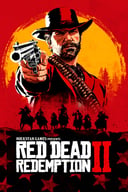
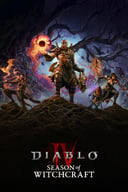
Each card brings together the game name, its platforms and its cover when available. The From price is the starting price for the Xbox option shown on the card. Open a card to see the editions listed for Xbox on the game page.
If you’re shopping for cheap Xbox game keys, start with a maximum under Price Range or pick a budget cap when one is available. The filter uses the price on the card. Sorting by Discount Rate brings the largest percentage discounts on the editions priced on the cards to the top.
The Premium Edition of Forza Horizon 5 includes the Hot Wheels and Rally Adventure expansions. If it’s listed for Xbox on the game page, check its price and stock status before adding it to your basket. The list’s starting price is set by the cheapest edition in stock for the Xbox option shown, or by the lowest listed price if that option has no stock.
Digital Editions for Xbox One and Series X|S
For a game with editions for Xbox One and Xbox Series X|S, use the edition name to look up the supported consoles on Xbox Store before buying. The store’s edition details also tell you which extras come with a bundle. On Xbox Series S (opens in a new tab), compatible games install from your digital library. With games that support Smart Delivery, Xbox gives you the version for the console you’re playing on.
The Countries an Xbox Key Covers
Set Country to where you’ll redeem your Xbox key, then select Search. The list keeps all the matching games and displays badges for the country you picked.
The list takes its starting country from your account. On a guest visit, the site uses the country it can identify from your location. An empty field is marked Select Your Country so you can set it yourself.
A card marked Works in the United States shows an Xbox option you can redeem there. The card says Doesn't Work in the United States when the Xbox option has a restriction there.
The game page’s platform bar shows the platforms with keys listed for that game. If you’ve switched to another platform, select Xbox to return to its editions. For Xbox keys with country restrictions, the Country field below the platform bar carries over the choice you made in the list. You can change it there to see what you can buy for another country.
The note above the editions tells you where the key of the edition you click works. It also shows any country exclusions on a Global key. Show Countries opens longer country lists when the button appears. If all the Xbox keys for that game work worldwide, the page confirms that in a single line.
The listed Xbox editions stay on the shelf when you change the country, with a price on each card. The “Not on sale in this country yet” warning next to the Country field means there’s no key for the editions it names in the country you picked. If no country is known yet, the Country field reads Select Your Country, and the editions can be bought once you pick one.
If a compatible key for an edition has sold out, the card reads Out of Stock. Select that edition and choose Notify Me When in Stock in the purchase box to request an alert.
Finding Games by Genre, Language and Release Date
The Xbox tab shows how many games are on the platform list. Search by title or use Genre to narrow the field. If the language filters are available, English Interface and English Audio find games with the corresponding language support. Selecting both looks for both kinds of support.
Release Date can put recent releases or older games first. New Releases, when shown, groups games from the past year. If the game you search for is missing from the catalogue and Notify Me When It Arrives appears, you can save that search.
Redeeming Xbox Game Keys on Console or Windows
Use the Microsoft account you want to keep the game on. This matters on a shared console, where several people may play on different profiles. In a browser, sign in on the Xbox redemption page (xbox.com/en-GB/redeem) (opens in a new tab) and enter the 25-character code.
- Xbox One or Xbox Series X|S. Open Store from the Xbox guide. The route to the code box is View → Redeem. After entering the code, choose Next.
- Xbox app for Windows. Select your gamerpic, open Settings and choose Redeem under Redeem a code. You can then install the game on a device supported by that edition.
The Code, Platform and Region on Your Order
If you bought several games at once, use the game title to find the right key in the order details under My Orders. Each delivered key has a Copy button beside it. You can also highlight the code to copy it by hand. The platform, region and Xbox activation guide appear under that game’s code.
If Xbox reports a region problem, check the country where you’re redeeming against the region shown beneath the key. If Xbox doesn’t recognise the code, copy the whole string again and make sure you’re signed in to the account that should get the game. Microsoft’s code redemption guide (opens in a new tab) points you to help for the error on screen. To report a problem with the key you received, use Create Support Request in the same order and include the Xbox message. The Digital Products section of the Sales Agreement covers support and refunds.