



























Sea of Thieves CD Key
2 Products · € 18,45 – € 25,70
Products
2 Products
Standard Edition
Deluxe Edition Top Seller
Activation Guide
- Go to redeem.microsoft.com and sign in with the Microsoft account you use on Xbox.
- Enter your 25-character code and confirm.
- The game is added to your account. Install it from your library on your console or PC.
This product is an activation code, not an account. The game is added to the library of the Xbox account you enter the code in.
- In Stock
- Secure Payment
- Multiple Payment Methods


- 24/7 Customer Support

About This Game
 1 / 6
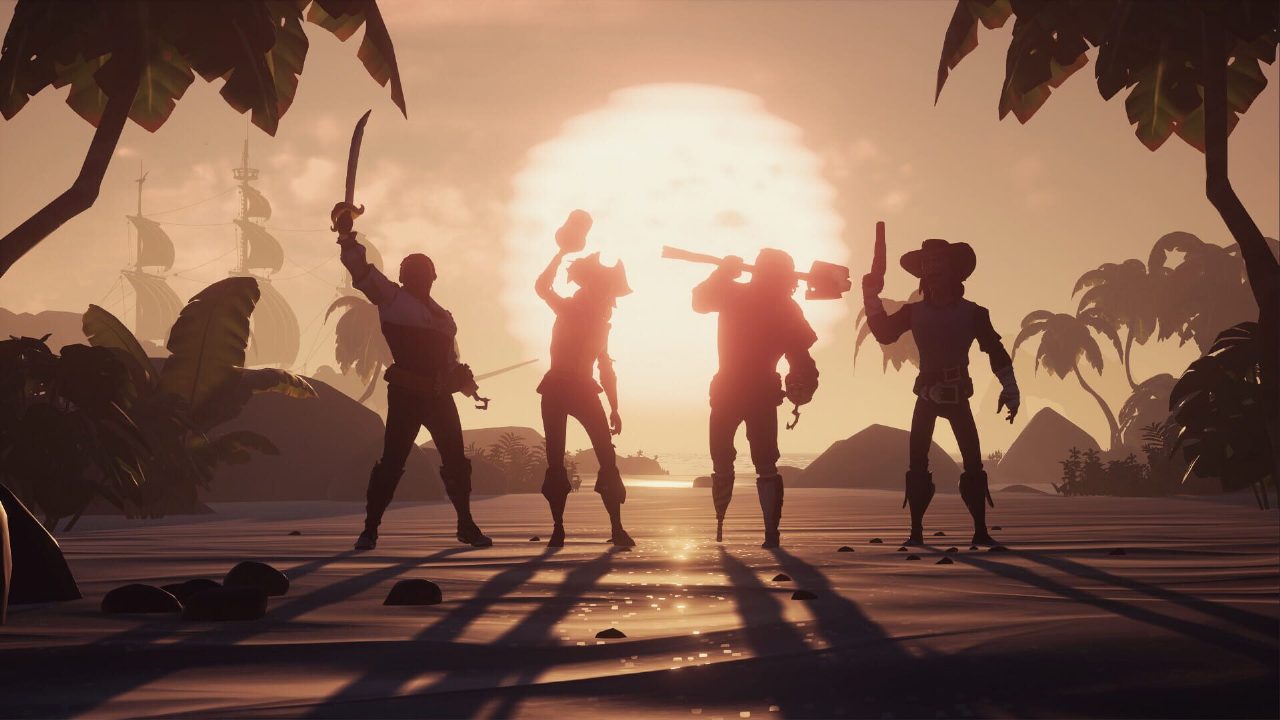
Sea of Thieves is a first-person multiplayer action-adventure game in which players take on the role of pirates exploring an open world ocean. Crews of one to four players operate sloop, brigantine, or galleon ships cooperatively, completing voyages for various trading companies, hunting for treasure, battling skeleton forts, and encountering other player crews who may form alliances or attack. The game features a cosmetics-only progression system, meaning all players have equal gameplay capabilities regardless of experience level.
Frequently Asked Questions
As of 25.11.2026, the 2 products cost between € 18,45 and € 25,70.
- Sea of Thieves Standard Edition (Xbox · Worldwide): € 18,45
- Sea of Thieves Deluxe Edition (Xbox · Worldwide): € 25,70
Yes. Cross-play lets Xbox and Steam players sail together on the same ship in Sea of Thieves.
- Get your friend's Xbox gamertag.
- Add them to your Xbox friends list using Rare's cross-platform invite guide (opens in a new tab).
- Send them an invitation to your Sea of Thieves session.
The Xbox PC product details (opens in a new tab) give the minimum requirements as 64-bit Windows 10 version 18362 or newer, 8 GB of RAM and DirectX 11. The listed processor is an Intel Core i3-4170 or AMD FX-6300, with a GeForce GTX 660 or Radeon R9 270 graphics card. Internet access is required to play.
Yes. With a copy of Sea of Thieves and an internet connection, you can play solo on Xbox. Choose Safer Seas when setting up your session and take out a Sloop on your own.
A Sea of Thieves CD key unlocks your chosen edition of Rare's pirate adventure on the platform named for the code. You can play on Xbox One, Xbox Series X|S and PlayStation 5, or on Windows through Microsoft Store, Steam or Battle.net. The Platform bar shows which platforms have keys listed on this page. The code appears in Order Details when it's delivered.
Crews and Ships on the Sea of Thieves
A Sloop fits one or two pirates, a Brigantine takes three and a Galleon takes four. Joining that crew from an Xbox console requires a Game Pass plan with online multiplayer.
One Pirate on Xbox and Windows
With Xbox Play Anywhere (opens in a new tab), the same digital licence covers Xbox One, Xbox Series X|S and compatible Windows 10 or 11 PCs. Install Sea of Thieves from your Microsoft Store library on PC using the Microsoft account you play on. Your pirate and progress are tied to that account, so you can pick up where you left off.
Playing on Steam, Battle.net and PS5
Redeem a Sea of Thieves Steam key in Steam, then install the game from your Steam library. For a Battle.net key, use Redeem Code in the app's profile menu, then install Sea of Thieves from My Games. When you launch either edition for the first time, sign in with your Microsoft account to use your pirate.
For the PS5 edition, use Redeem Code (opens in a new tab) in PlayStation Store with an account in the code's store region. Link the Microsoft account that holds your pirate to your PlayStation account to carry over your progress. With cross-play enabled, PS5, Xbox and PC players can share a ship. Online multiplayer on PS5 requires PlayStation Plus.
You can also access Sea of Thieves with a Game Pass plan that includes the game. To play in the cloud, check Xbox Cloud Gaming access in your region or look up your PC edition in the GeForce NOW games list (opens in a new tab).
Standard, Deluxe and Premium Editions
Standard Edition gives you the base game. A first voyage in Safer Seas gives a crew room to practise dropping anchor, raising sails and following a Tall Tale together. High Seas puts you in shared waters where other crews can join your outing or come after your haul. Deluxe Edition includes the game and adds cosmetics to customise your pirate. Premium Edition also includes ship cosmetics.
If the selected platform has country-restricted keys, the Country field below the bar lets you choose where you will redeem the code. It remembers your choice from the CD Keys list. The note right above the editions shows where the key of the edition you pick works, and for a Global key with exclusions, how many countries it leaves out. Show Countries opens longer lists of included or excluded countries. If all keys for the selected platform can be activated anywhere, the only line below the bar reads “This key has no region restriction and can be activated in any country.”
Every edition listed for the selected platform stays on the shelf with its price. If an edition has no key for your selected country, its card shows Out of Stock and is locked, and the “Not on sale in this country yet” warning next to the Country field names it. If an edition for your country sells out entirely, it shows Out of Stock and offers Notify Me When in Stock. If no country is known yet, the Country field reads Select Your Country, and the editions can be bought once you pick one.
Your Xbox Key and Your Pirate's Microsoft Account
If you already have a pirate, redeem an Xbox key on the Microsoft account you use to sail. When your order is complete, select See Codes in My Orders. In Order Details, use Copy by your edition to take the 25-character code to redeem.microsoft.com (opens in a new tab). Redeem it while signed in to that account. On Windows you can also enter it through Redeem code or gift cards in your Microsoft Store profile. The Xbox game keys list shows the steps for the console Store and the Xbox app on PC.
Your order shows the platform, region and activation guide below the code. If you see an error while entering an Xbox key, Microsoft's code troubleshooting guide (opens in a new tab) can help you identify it. For a problem with the key you received, use Create Support Request in Order Details and include the error message.